ORION — HackTheBox Writeup
Only read this writeup after the machine has retired, per HTB’s content policy.
Machine Info
- Platform: Hack The Box
- Difficulty: Easy
- OS: Linux
- IP: 10.129.1.122
Overview
ORION was another beginner-friendly machine. The machine had a website running on port 80 which redirected to orion.htb. The website was running Craft CMS, and after enumerating the version, I found that the version was vulnerable to remote code execution through CVE-2025-32432. After getting a shell as www-data, I found an .env file which contained database credentials. Using those credentials, I was able to access the MySQL database and find the password of the user Adam. From Adam’s terminal, I found another internally running service on port 23, which was Telnet. This was then used to obtain root access.
Reconnaissance
When we opened the HTTP port 80 of the IP, it redirected to orion.htb.
Hence, we had to add the IP address and the hostname orion.htb in the /etc/hosts file with the following command:
1
echo "10.129.1.122 orion.htb" | sudo tee -a /etc/hosts
In another machine, the IP was redirecting to vtsec, hence we put the host IP as:
1
echo "ip-address vtsec" | sudo tee -a /etc/hosts
This machine was on VulnHub , i had this in my notes as well to remember
Enumeration
Using Gobuster or FFUF, or by manually checking /admin on the website, I found the Craft CMS login page, which also showed the version. Even if you dont use these services on adding anything in the url and analyzing the response on BurpSuite it mentioned redirecting to admin, so it was very clear that the admin page was easy to crack.
Using FFUF:
1
ffuf -u http://orion.htb/FUZZ -w /usr/share/seclists/Discovery/Web-Content/DirBuster-2007_directory-list-2.3-medium.txt -ic
The version of Craft CMS was 5.6.16.
With SearchSploit and Google, a quick Google search against the enumerated Craft CMS version 5.6.16 revealed that it was vulnerable to remote code execution through CVE-2025-32432.
Foothold
After finding that the version had an RCE vulnerability,I used Metasploit to check for the correct module to run and then exploited it using payloads. This gave us a shell as www-data.
Then I could convert this into a fully interactive shell with the command:
1
script /dev/null -c /bin/bash
In general what script does is record everything displayed during a terminal session. But the other part /dev/null caused it to save it know where simply throw it . -c causes it to do this instead starting its normal shell, execute this particular command. Use script to create a terminal session, don’t bother saving the recording, and execute Bash inside that terminal session. and ye again we got bash. The script command is therefore a shell stabilization/PTY upgrade step, not the privilege-escalation step itself.
User Flag
After getting into the www-data shell, I found an .env file.
Generally, these .env files have database credentials and keys. Inside the file, we found the password for MySQL. But this password was encrypted in SHA 256 hence used Hashcat to get the real password which if i correctly remeber was =”darkangel” Hence, we ran the following command to enter SQL:
1
mysql -u root -p orion
mysql : Start the MySQL client -u root : Log in as the MySQL user “root” -p : Ask for the MySQL password orion : Select the “orion” database This means: Open a MySQL session as the root database user, ask for its password, and connect directly to the orion database.
We then checked the database for users and their passwords. We found the password for Adam and then entered his user terminal using SSH.
Privilege Escalation
Inside Adam’s user terminal, we ran the following command to check for other ports that were open internally: I had ss -tulpn in my notes to run in such conditions to listen to active running ports but later i got to know evem ‘netstat -antp’ could as well do it Since , Orion is a old machine
1
ss -antp
ss → Show socket/network information -a → Show all sockets -n → Don’t resolve names; show numeric IPs/ports -t → TCP sockets -p → Show the process using the socket
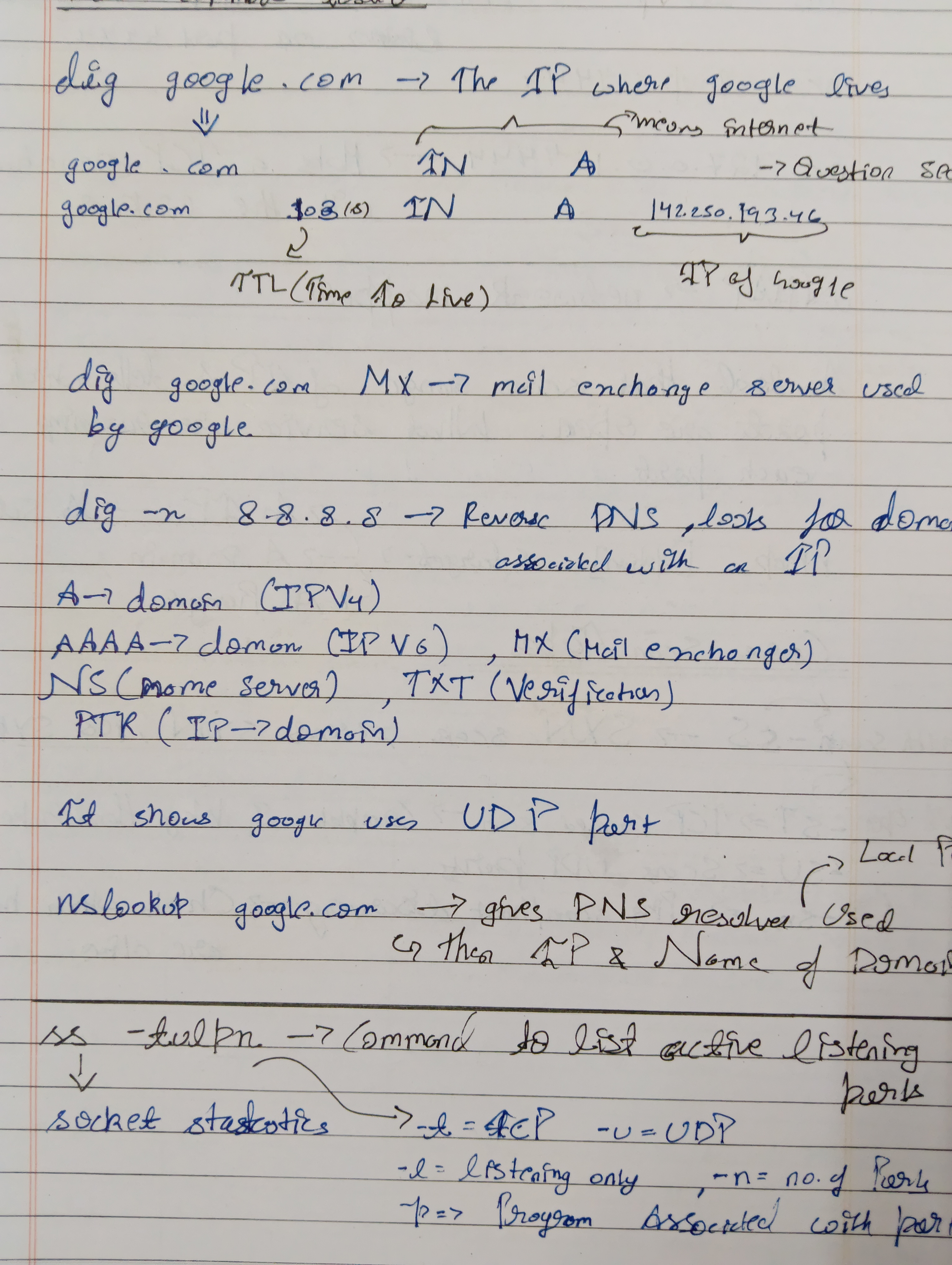 With this, I found port
23 open, which was being used for Telnet, the CLI used to provide remote access to users.
Hence, we then ran the following command to obtain root on Adam’s ORION machine:
1
USER="-f root" telnet -a 127.0.0.1
This gave us access to the root terminal.
Root Flag
The Root flag was then simply obtained from the root terminal. Hence, there was not much work left from here.
And yes, this was another beginner machine where the main learning was understanding how different services running internally can be used for privilege escalation.
Lessons Learned
The major learning of this whole machine was the importance of proper enumeration. First, when the HTTP service redirected to a hostname, we had to understand that the hostname needed to be added to /etc/hosts. Then, enumeration of the website and the /admin directory revealed the Craft CMS version. Searching for vulnerabilities against the exact version helped us identify the RCE vulnerability. Another important learning was the .env file. These files can contain database credentials and other important keys, so whenever we find one during enumeration, it is important to check what information it contains. After getting the MySQL credentials, we were able to find Adam’s password from the database and use SSH to enter his terminal. Finally, the major privilege escalation learning was checking internally open ports. The ss -antp command showed that port 23 was open internally and was running Telnet.
The final flow of the machine was:
1
2
3
4
5
6
7
8
9
10
11
12
13
14
15
16
17
18
19
20
21
22
23
24
25
26
27
28
29
30
31
HTTP Port 80
        ↓
orion.htb
        ↓
/admin
        ↓
Craft CMS 5.6.16
        ↓
CVE-2025-32432
        ↓
Remote Code Execution
        ↓
www-data shell
        ↓
.env file
        ↓
MySQL credentials
        ↓
MySQL Database
        ↓
Adam's password
        ↓
SSH as Adam
        ↓
netstat -antp
        ↓
Port 23 — Telnet
        ↓
USER="-f root" telnet -a 127.0.0.1
        ↓
root shell